Sugo lite: Live Voice Chat
- 3.4
- Rating
- 10.00M
- Installs
- Free
- Price

 Analysis by App-foxy
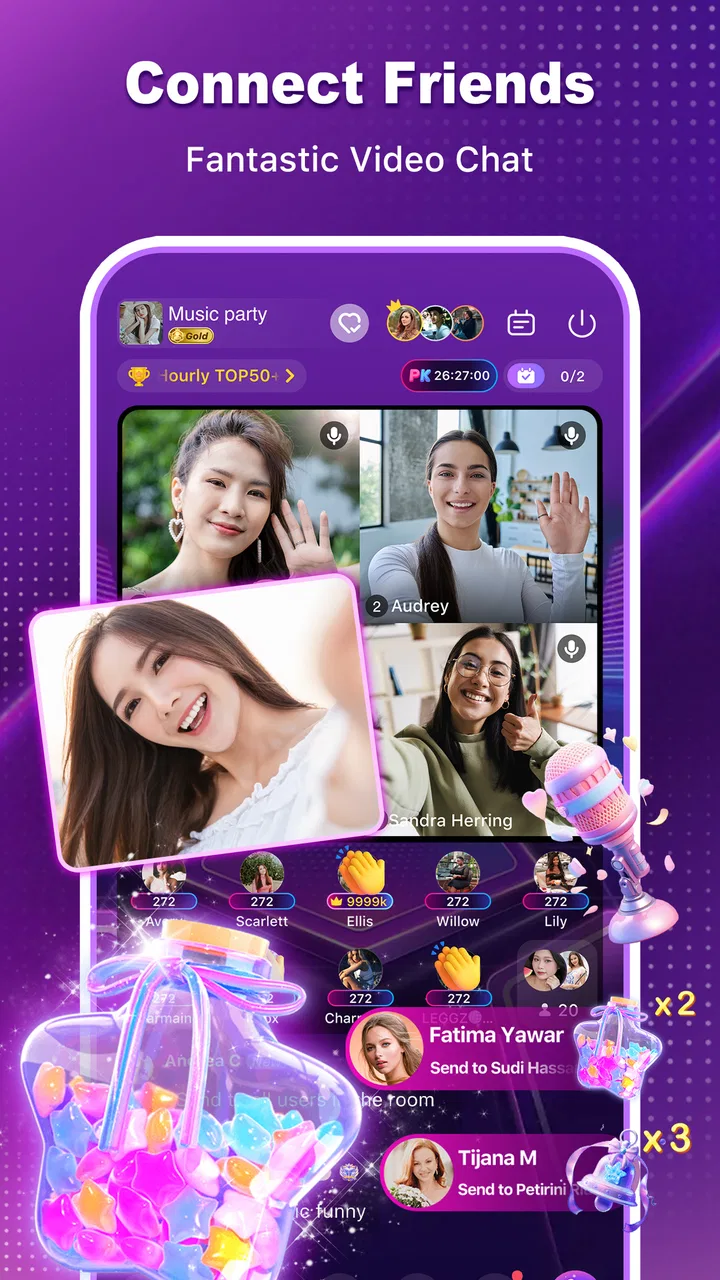
I spent time with Sugo lite: Live Voice Chat as a social app built around live conversation rather than long text threads. Its main appeal is straightforward: you can join a voice room to talk with several people, then switch to a one-on-one voice or video call when a private conversation makes more sense. That gives it a different rhythm from ordinary messaging apps, where the conversation usually begins with typing and only later moves to a call.
My first impression is that Sugo lite is aimed at people who enjoy dropping into social spaces and meeting others through their voices. It feels more immediate than a conventional chat inbox, but also less controlled. You are not simply exchanging messages with people you already know; the voice-room format puts the social atmosphere at the center. That can be lively and entertaining, although it also means the experience depends heavily on the quality of the room you enter and the people speaking in it.
The app is free to install, with optional purchases ranging from $0.49 to $99.99 per item. It is rated for mature users aged 17 and above, which is important to keep in mind before creating an account or handing the app to a younger family member. IndiaMasterApp is the developer, and the app has become a sizable social download, with more than ten million installs. Its average rating is 3.4 from roughly twenty-two thousand ratings, so the public response suggests a mixed experience rather than universal praise.
You May Also Like

 Blood Strike: 2.5 Anniversary
Blood Strike’s Loadouts Turn Every Drop Into a Tactical Gamble
A close look at Blood Strike’s custom loadouts: how fast access to signature weapons reshapes its battle royale rhythm, rewards preparation, and narrows the gap between fights.

 Pandora - Music & Podcasts
Pandora’s Music Is Easy to Start, but Harder to Recover
Pandora’s strength is its low-effort path from a seed to a station. Its weak spot is how much confidence it asks you to place in connection, setup, and quiet recovery.

 8 Ball Pool
 Is Built on Rivalries, Rematches, and Routine
A close look at the rivalries, rematches, shared routines, and unanswered safety questions that turn a quick pool match into a persistent mobile community.

 Samsung Music
’s Quiet Strength Is Playing What You Already Own
Its reach comes less from spectacle than from dependable access to a personal library. That simplicity is both the app’s strongest retention engine and its ceiling.

 AccuWeather: Weather Radar
AccuWeather Review: A Quick, Clear Forecast for Everyday Decisions
For everyday plans, the best forecast is the one you can understand quickly. AccuWeather makes rain timing, radar, and local conditions easy to act on, with a few trade-offs.

 Hill Climb Racing
Why Hill Climb Racing Still Turns Crashes Into One More Run
A tiny car, a bumpy hill and one more upgrade: Hill Climb Racing keeps resurfacing because its simple chaos makes every near-miss feel personal.
More From Our News Desk



How Sugo lite feels in everyday use
I find the most useful way to judge Sugo lite is to notice how it changes the pace of a conversation: a voice room can offer company without requiring an immediate reply, while a private call asks for more focused attention. That difference matters on an ordinary day, especially when I want to be social but still keep control of how much time and personal detail I give.
Getting into a conversation without waiting for replies
The strongest idea here is the voice room. Instead of composing a message and waiting for someone to answer, I can enter a shared audio space and listen to the conversation as it happens. That makes the app useful when I want company while doing something routine, such as taking a break, commuting as a passenger, or relaxing at home.
Voice rooms also change the social pressure. A text message demands a direct response, while a room lets me observe before deciding whether I want to participate. That is a useful distinction for anyone who feels awkward starting a private chat. I can first get a sense of the room’s tone, then decide whether it is worth staying or speaking.
The trade-off is that live audio is less forgiving than text. A missed message can be read later, but a fast-moving conversation can leave me behind. If several people speak over one another, the room may become tiring rather than welcoming. Sugo lite therefore works best when the room is well moderated by its participants and when I am comfortable with a more spontaneous style of socializing.
When a private call is the better choice
The one-on-one voice and video call options give the app a second use case. After meeting someone in a room, I can continue the conversation privately instead of trying to communicate in front of everyone. Voice calling is the simpler choice when I want to focus on the conversation without worrying about appearance or surroundings. Video calling is more personal, but it naturally demands more attention and a suitable environment.
A realistic example would be using a voice room during an evening break, finding someone with similar interests, and moving to a private voice call when the group becomes too noisy. That workflow is more natural here than in an app designed only for private messaging. It keeps discovery and direct conversation in the same social space.
I would still be selective about moving quickly from a public room to a private call. A friendly voice does not automatically mean a trustworthy person. I recommend keeping personal details private until I have built confidence, and I would avoid treating a video call as proof of someone’s identity. The app’s mature age rating is another reason to approach new contacts thoughtfully.
Speed: what matters most before the conversation starts
For this kind of app, perceived speed is not only about how quickly a screen opens. The important moments are entering a room, hearing the conversation without a distracting delay, and moving from a public interaction into a private call. If any of those transitions feel slow, the social momentum disappears quickly.
Sugo lite’s lighter positioning makes sense for people who want a social app that does not feel as elaborate as a large all-purpose platform. However, I would not interpret “lite” as a guarantee that every device or network will behave identically. Live voice and video depend on the phone, the operating system, the connection, and how much else is running at the same time.
My practical advice is to begin with voice rather than video when testing the app. Voice gives me a clearer idea of whether the room is comfortable and whether the conversation feels responsive, while using fewer resources than a camera-based call in many everyday situations. If the experience is already strained with audio, switching to video is unlikely to improve it.
Heavy-use moments and resource awareness
The demanding moments are easy to identify: staying in a busy voice room for a long session, moving repeatedly between rooms and private calls, or using video while other apps remain active. These situations place more pressure on the device than briefly checking a text-based social feed.
I would pay attention to heat, battery decline, and interruptions during longer sessions, especially on an older phone. Those are not reasons to reject the app, but they do affect how I would use it. A short voice conversation during a break is a different workload from leaving a live room open for hours.
One useful habit is to close unrelated apps before joining an important call. Another is to use headphones in a noisy setting, because clearer audio can reduce the temptation to raise the volume or repeat questions. For video, I would also keep the phone steady and make sure the surrounding light is reasonable. These simple choices improve the conversation without requiring extra features from the app.
Users who rely on limited mobile data should be especially deliberate with video. Voice is the more sensible default when I am away from Wi-Fi or when I only need conversation. Since the app offers both formats, I can choose the one that fits the moment instead of treating every interaction as a video session.
Reliability, interruptions, and recovering from a bad session
Live social apps are judged harshly when something goes wrong because the interruption happens in front of other people. A dropped call, delayed audio, or failed room transition can make me feel as though I have lost my place in the conversation. That is more disruptive than a delayed text message.
When a session becomes unstable, I would recover in stages rather than repeatedly tapping every option. First, I would leave and re-enter the room once. If that does not help, I would switch from video to voice, check the connection, and close background apps. If the problem continues, restarting the app is more sensible than wasting time trying to force the same call to work.
This recovery approach also helps identify the likely source of the problem. If voice works but video struggles, the issue may be the heavier call format or the device’s current workload. If every room behaves poorly, the connection or phone may be the limiting factor. If only one room is troublesome, leaving it and trying another is a reasonable test.
I would not choose Sugo lite for conversations where interruption is unacceptable, such as an important work meeting or a formal appointment. A dedicated meeting tool is usually a better fit for that purpose because its design is centered on structured communication. Sugo lite is more suitable when the conversation is casual and a little spontaneity is part of the appeal.
Device constraints and the minimum software requirement
The app supports phones running Android 6.0 or later. That gives it a broad compatibility range, but compatibility is not the same as an identical experience on every device. A phone that can install the app may still feel less comfortable during long calls if it has limited memory, an aging battery, or a weaker connection.
On a modest device, I would keep the workflow simple: use voice rooms for shorter sessions, avoid jumping constantly between screens, and reserve video for moments when it genuinely adds value. This is also the best way to make the app feel lighter in daily use. The goal is not to push the phone through the most demanding scenario every time.
People who mainly use newer phones and stable Wi-Fi will probably have an easier time with live conversations. Those using older hardware should treat the app as a focused social tool rather than something to leave active all day. That distinction matters because the app’s usefulness comes from the conversation itself, not from keeping every social feature running continuously.
Privacy and comfort are also device-related in a practical sense. Before joining a video call, I would consider who might be nearby, what appears behind me, and whether notifications could interrupt the interaction. A private call may be private within the app, but the physical setting around the phone still matters.
How it compares with ordinary social alternatives
Compared with a standard messaging app, Sugo lite puts less emphasis on carefully written exchanges and more on immediate voice contact. That makes it attractive when typing feels slow or when I want to hear a person’s tone. The downside is that it offers less time to think before responding, and a live room can feel unpredictable compared with a familiar contact list.
Compared with a dedicated video-calling service, it feels more discovery-oriented. A meeting platform is usually best when I already know who I need to call and want a predictable appointment. Sugo lite makes more sense when the social journey begins in a shared room and may later become a private conversation.
Compared with audio-only community services, the addition of one-on-one video gives Sugo lite a more personal next step. At the same time, video raises the demands on the phone, the network, and the user’s privacy. I see voice rooms as the app’s most comfortable starting point, with video reserved for contacts and situations that justify the extra exposure.
Who will get the most from it
I would recommend trying it to someone who enjoys meeting people through live conversation, prefers speaking to typing, and does not mind that every room may have a different atmosphere. It can be a pleasant way to fill a quiet moment, discover new contacts, or continue a conversation that began in a group setting.
It is also a reasonable option for users who want both group voice chat and direct voice or video calls without switching between separate social tools. The combination is convenient when the public-to-private workflow is central to how I communicate.
I would be more cautious about recommending it to someone seeking a tightly controlled network of known friends. If the priority is dependable communication with family, colleagues, or established contacts, a familiar messenger may be a better match. Likewise, people who dislike spontaneous rooms, do not want to manage boundaries with strangers, or need formal reliability should look elsewhere.
Costs, maturity, and sensible boundaries
The free entry point makes it easy to test the basic social experience before deciding whether it belongs in a regular app rotation. Optional purchases are available, from forty-nine cents to ninety-nine dollars and ninety-nine cents per item. I would avoid spending simply because a room feels socially demanding; first I would use the free experience long enough to understand what I actually need.
The mature 17+ rating should be treated as a practical warning, not a decorative label. Adults should still use judgment in voice rooms and private calls, while parents should not assume that a social app with a broad install base is automatically suitable for younger users. I would keep conversations respectful, avoid sharing sensitive information, and leave any interaction that makes me uncomfortable.
The current version is 2.22.0.1, and the app was released on May 18, 2023. Those details place it in an established stage rather than a brand-new experiment, but they do not remove the need to judge each session on its own merits. A mature app can still feel different depending on the phone, connection, room, and people involved.
My performance verdict after weighing the trade-offs
My view is that Sugo lite succeeds when I use it for what it is: a casual live social space where voice comes first and private calls are a natural continuation. The room format gives it more immediacy than a text feed, while the one-on-one options prevent every conversation from being trapped in a crowd.
The best performance strategy is to start with voice, keep video intentional, and treat room quality as seriously as app speed. That approach reduces unnecessary strain and makes it easier to tell whether I genuinely enjoy the social experience rather than simply reacting to a busy interface or a noisy room.
Its limitations are equally clear. Live conversation is more sensitive to interruptions than messaging, long sessions may be demanding on older devices, and the open social format requires stronger personal boundaries. The mixed average rating of 3.4 reflects why I would present it as a try-and-decide app rather than an automatic recommendation for everyone.
For me, Sugo lite: Live Voice Chat is worth exploring if I want spontaneous voice rooms and the option to move into private audio or video conversations. I would skip it when I need formal reliability, a strictly familiar contact list, or a low-interaction messaging tool. Used selectively, with voice as the default and privacy kept in mind, it offers a distinct social experience without pretending to replace every other communication app.
FAQs for Sugo lite: Live Voice Chat
01What is Sugo Lite: Live Voice Chat, and what can I do with it?
Sugo Lite: Live Voice Chat is a social communication app focused on real-time voice conversations and meeting people online. After installing it, users can browse available chat rooms, join live discussions, and communicate with other members through voice. Depending on the current version and region, the app may also include private messaging, profiles, virtual gifts, and other community features designed for casual social interaction.
02Is Sugo Lite: Live Voice Chat free to download and use?
The application is generally available as a free download, allowing users to create an account and explore its main social and voice-chat functions without paying upfront. However, some features may require in-app purchases, such as virtual gifts, premium benefits, coins, or enhanced visibility. Before spending money, check the pricing shown inside the app and review the payment settings on your Android or iOS device.
03Do I need to create an account or share personal information?
You will typically need to register or sign in before using the main communication features of Sugo Lite. The app may request information such as a nickname, profile photo, age, gender, phone number, email address, or access through another account provider. Only provide details you are comfortable sharing, read the privacy policy, and avoid publishing sensitive information in your profile or conversations.
04Is Sugo Lite: Live Voice Chat safe for teenagers and younger users?
Because Sugo Lite is built around live interaction with strangers, parents and younger users should pay close attention to its age rating and community rules. Voice rooms can include unpredictable conversations, user-generated content, and requests from people you do not know. Do not share your address, school, passwords, financial details, or private photos, and use blocking and reporting tools whenever someone behaves inappropriately.
05What should I do if I experience harassment, scams, or unwanted contact?
If another user sends abusive messages, makes suspicious requests, pressures you to send money, or behaves inappropriately during a voice chat, stop communicating and use the app’s block and report options. Save relevant evidence when possible, avoid moving the conversation to unknown external links, and never share payment information. For serious threats or suspected fraud, contact the platform’s support team and the appropriate local authorities.
Pros
- Quick voice matching makes it easy to meet new people.
- Lightweight design uses less storage and data than many chat apps.
- Interest-based rooms help users find more relevant conversations.
- Simple controls make joining and leaving chats straightforward.
- Supports casual socializing without requiring long text conversations.
Cons
- Public voice rooms may include rude
- offensive
- or inappropriate behavior.
- User quality and activity can vary significantly by time and region.
- Limited moderation can make unwanted interactions difficult to avoid.
- Voice chat may consume noticeable battery during extended sessions.
- Some features or interactions may depend on coins or in-app purchases.

Sugo lite: Live Voice Chat
Gallery